






Website Trends 2026: The Future of Digital Experience is Here
41 min to read
- To remain competitive in 2026, websites must transition from static designs to dynamic, adapting in real-time using AI for personalization and integrating Web3 technologies
- User expectations are defined by features like hyper-personalization, seamless voice/gesture controls, and immersive AR/VR experiences, with 70% of users expecting content tailored specifically to them
- Future-proofing your digital presence requires following a phased nine-month roadmap to integrate AI, Web3, immersive features, and prioritize advanced security, performance, and green web design
Welcome to the Digital Frontier of 2026
Website design isn’t what it used to be. What worked last year is pretty much useless now. There’s this massive shift happening toward AI-first, Web3-integrated future, and personalization that goes way beyond slapping someone’s name on an email.
Websites aren’t static anymore – they adapt while you’re using them and learn from your behavior. They are really changing on the fly, and it’s weird at first, but you get used pretty quickly.
Table of Contents
The Numbers That Define 2026
We’ve got 5.5 billion people online right now (that’s roughly 68% of the world’s population), think about that for a second. All of them use the internet in their own ways, but there’s one feature that almost everything online shares now – AI. About 85% of websites have AI features, though honestly, a lot of them aren’t doing it right.
E-commerce hit $2.8 trillion globally. And here’s the kicker – about 70% of users actually expect sites to be tailored to them specifically. Not just generic content anymore.
Web3 shows up on maybe 60% of sites at this point. Around 45% of people use voice commands to interact with websites at least sometimes. All of these numbers keep climbing.
The Technology Convergence Revolution
Here’s the problem. Traditional websites treat everyone exactly the same. Which means they’re basically treating everyone wrong.
In 2026, if your website isn’t learning and adapting, you’re behind. You need AI that actually does something useful, Web3 integration that makes sense (not just because it’s trendy), and immersive technologies like AR and VR where it fits. Real personalization is happening in real-time. Voice and gesture controls need to feel natural and can assist website accessibility. Additionally, environmental impact matters now, too – people care about that.
Your Roadmap to 2026-Ready Websites
This isn’t just another trends article – it’s your complete blueprint for building websites that will not just survive, but absolutely dominate the digital landscape in 2026 and beyond. Whether you’re a designer, developer, or business owner, this guide will prepare you for the 2026 web design. Get ready – the future starts now.
1. The 2026 Digital Landscape
Current Market Statistics
Global Internet Usage
Let’s look at active internet users. In total, there are 5.5 billion users, and 4.8 billion are mobile users, which is 87%. There are 3.2 billion actively engaging social media users, and 2.1 billion are frequent online shoppers.
AI Integration Statistics
AI is basically everywhere now. Let’s take a look at the numbers:
- 85% of websites use AI-powered features
- 70% of businesses have AI-driven personalization
- 60% of websites use AI for content generation
- 45% of websites run AI chatbots and assistants
Web3 and Blockchain Adoption
Web3 adoption keeps growing despite all the hype cycles that come and go. Right now, 60% of websites integrate Web3 technologies. Diving deeper into the stats, we find out that 40% of e-commerce sites take crypto payments as normal, 35% use decentralized identity instead of old-school logins, and 25% have NFT functionality built in for various reasons.
User Behavior and Expectations
Users have changed a lot in the past year. Maybe 70% expect personalized experiences now. 65% would rather talk to a site than type if you give them the choice. More than a half of the users (55% to be exact) expect AR or VR at least for looking at products. And 80% prioritize speed over basically everything else – apparently it matters more than fancy features.

2. AI-Powered Design Revolution
Automated Design Generation
AI Website Builders
AI website builders like Hocoos AI can spin up a fully customized site in under two minutes. Sounds impossible, but it actually works, because the AI understand brand personality and crafts designs that match automatically.
The main advantage is real-time adaptation. Your site adjusts to user preferences while they’re browsing. Everything displays right on whatever device they’re using (we’re talking about cross-platform optimization here), and no manual tweaking needed.
Intelligent Design Systems
These intelligent design systems generate custom UI components based on your brand guidelines. You can create color schemes using psychology and pick fonts that work for readability and brand. Finally, rrange layouts for engagement based on what’s worked before.
Predictive Design
Predictive design goes further – It Anticipates what users will do and prepares content before anyone asks. Constant automated A/B tests are running to change the elements to get the best results. The systems optimize speed before it becomes a problem. It’s like the site is always thinking ahead.
Intelligent Content Creation
AI-Generated Copy That Converts
AI copy got so good that it actually converts now when done right. These systems create different copy for each user segment – no more one-message-fits-all nonsense.
AI writes with emotional intelligence: it can generate multiple versions and A/B test them automatically, create content that ranks in search engines AND converts visitors. Both at once, which used to be hard.
Dynamic Content Personalization
Real-time adaptation is a big deal – content changes what you see based on your behavior, serving relevant content for your situation. Now it adapts across languages and cultures without losing meaning. Pretty sophisticated stuff, tight?
3. Web3 and Blockchain Integration
Decentralized Identity and Authentication
Web3 Login Systems
Web3 login systems let you sign in with crypto wallets instead of passwords. They bring in decentralized identity – you control your own identity data, it’s not sitting on some company’s server. One identity works across all Web3 sites, which is actually convenient once you set it up.
NFT-Based User Profiles
NFT profiles represent you with unique digital identities. They show user accomplishments and status in communities. You can build reputation through blockchain-verified reviews and grant access to exclusive content through membership tokens.
Cryptocurrency and DeFi Integration
Native Crypto Payments
Crypto payments now support multiple currencies, not just Bitcoin and Ethereum. They process real-time payments without banks taking their cut, meaning way lower transaction costs than traditional methods. Most importantly, it works globally without borders, which helps international customers a lot.

Token-Based Loyalty Programs
Token loyalty programs let you earn tokens for engagement. Token holders have governance rights and they vote on platform decisions. Holding platforms tokens will also grant you rewards. Additionally, it’s not trapped in one ecosystem – tokens work across multiple Web3 platforms.
Smart Contract Automation
Smart contracts execute business logic automatically – experience coded agreements that just run. Manage subscriptions with automated payments with secure processing through escrow services. Conflict resolution happens automatically using smart contracts. It’s elegant when it works.
4. Immersive and Interactive Experiences
Augmented Reality (AR) Integration
AR Product Visualization
AR product visualization lets you try stuff before buying. Virtual try-on features work surprisingly well now. You get 3D product models that you can rotate and examine from every angle.
Additionally, it helps you pick the right size through AR prediction. Then you customize colors and styles in real-time to see what works and what doesn’t based on your personal preferences. This feature is especially useful for furniture and clothing.
Interactive 3D Content
3D content enables actual three-dimensional navigation, not just scrolling down a page. Content gets presented in 3D environments that feel engaging, it’s like a complete shopping experience happens in a virtual showroom. Some luxury brands are going all-in on this!
Virtual Reality (VR) Websites
Immersive Virtual Spaces
Virtual spaces create complete work environments where teams collaborate, fully immersive shopping experiences that feel like a real store, and conferences in VR where you interact with people instead of watching screens. It takes some getting used to it, but it definitely beats Zoom fatigue by forming virtual communities for collaboration and socialization.
VR Shopping Experiences
VR shopping lets you browse multiple stores in one virtual mall. Pick up products to examine them, get a better sense of scale and quality. Finally, try on clothes in virtual fitting rooms that know your measurements. Some say it still feels a bit gimmicky sometimes, but the area is improving quicker than ever. Who knows what else we’ll be able to experience in VR in a year or two?
5. Advanced Personalization and AI
Hyper-Personalization
Real-Time Content Adaptation
Real-time adaptation changes layouts based on your preferences. Automatically. No settings to adjust. Navigation adapts to how you behave, and the colors adjust based on what you responded to before. Most relevant content appears first without you even searching.
Predictive User Journey Mapping
Predictive journey mapping anticipates what you’ll do next and prepares content ahead of time. Ai then suggests efficient paths for optimization, identifies friction points, and removes them. It can guide you toward actions that benefit everyone.
Dynamic Pricing and Offers
Dynamic pricing adjusts based on your behavior (within legal bounds, obviously). It can create specific offers for you instead of generic discounts by determining timing for when you’re most likely to respond. Prices reflect individual value instead of average market pricing. Airlines have been doing this forever; now everyone does it.
Personalized User Interfaces
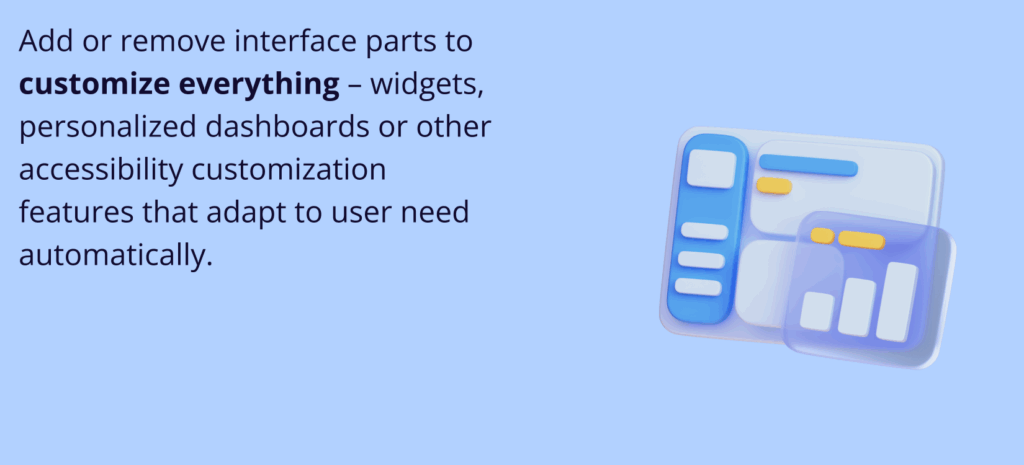
Personalized interfaces rearrange elements based on how you work. Add or remove interface parts to customize everything – widgets, personalized dashboards or other accessibility customization features that adapt to user need automatically. Pretty helpful when it gets it right.
Behavioral AI
Emotion Recognition and Response
Emotion recognition detects your emotions through facial expressions (if you allow camera access, which most people don’t). It then analyzes tone in your voice during interactions, understands emotional context in what you type, and adjusts communication based on your state. Some users state that it may feel invasive when you think about it too much. But also kind of useful when you’re frustrated and the site actually helps instead of making it worse.
Predictive User Actions
Predictive actions guess where you’ll click next and suggest searches before you finish typing. Also, they can identify when you might buy something or spot when you might leave to try and keep you engaged.
6. Voice and Gesture Interfaces
Voice-First Design
Voice Navigation and Commands
Voice navigation lets you browse hands-free. The search is optimiized for using natural language instead of keywords. With this feature you can fill out forms by talking and make purchases with voice commands that feel conversational. Works great when you’re cooking or driving.
Conversational Interfaces
Conversational interfaces understand complex requests now. Natural language processing got really good. AI remembers what you said before, so you don’t have to repeat yourself. Handle multi-step interactions that go back and forth. Adjust style to match whether you want formal or casual.
Gesture and Touch Innovation
Advanced Touch Interactions
Touch interactions support complex multi-touch gestures. AI recognizes actions based on pressure and responds to hand gestures from cameras. In addition to that, it’s got youch prediction – by anticipating touches, it spends optimal time to prepare and deliver the response. The gestures feel genuinely natural once you learn them.
Haptic Feedback Integration
Haptic feedback gives physical responses to digital interactions:
- Tactile responses make buttons feel like they click
- Haptic feedback simulates textures through vibration patterns
- Directional feedback guides user attention through haptic cues
- Emotional feedback conveys emotion through patterns you can feel
Eye-Tracking Navigation
Another not-so-innovative feature that has been gaining popularity is using eye tracking for navigation, accessibility, and optimization.
7. Sustainability and Green Web Design
Eco-Friendly Design Principles
Carbon-Neutral Hosting Solutions
Carbon-neutral hosting powers sites with renewable energy, solar and wind mostly. Companies offset emissions through environmental programs. More and more are getting implemented energy-efficient servers with optimized hardware – it helps with reducing energy consumption. Green data centers are designed for minimal impact through better cooling and power management. All of these facilitate minimization of environmental impact.
Optimized Performance for Sustainability
Performance optimization helps sustainability, too. In fact, every little bit adds up:
- Minimal clean code reduces server load
- Compressed images cut bandwidth usage
- Smart caching reduces redundant requests
- CDN optimization spreads the load to reduce energy consumption
Dark Mode and Energy Efficiency
Dark mode optimizes for OLED screens, where dark pixels use less power while also extending battery life through efficient rendering. It has some health benefits, too, like reducing eye strain for long sessions or helping people with light sensitivity. Plus it looks cooler, which probably drives adoption more than environmental concerns.

Green Technology Integration
Environmental Impact Tracking
Environmental tracking measures your site’s carbon footprint and provides reports on performance over time. This helps earn sustainability certifications that users actually value. Websites educate people about digital environmental impact – most people don’t realize how much energy the internet uses.
8. Advanced Accessibility and Inclusion
Universal Design Principles
AI-Powered Accessibility Features
AI accessibility features generate image descriptions automatically – computer vision handles this now. It describes visual content for screen readers so visually impaired users understand what’s depicted there. AI can handle making videos accessible too, for example, create video captions in real-time or translate content to any language instantly. The AI isn’t perfect, but it’s getting better day by day.
Multi-Language Support
Multi-language support translates automatically to whatever language you prefer and adapts to cultural preferences beyond just translation. Fully implements RTL language support with right-to-left languages like Arabic and Hebrew. Those languages have unique challenges that often get ignored, that’s why localization shouldn’t be overlooked.
Assistive Technology Integration
Screen Reader Optimization
Accessibility should be built in from the start, not bolted on later. These are common optimization techniques and methods that are widely used:
- Semantic HTML that screen readers parse correctly
- ARIA labels for complex interface elements
- Clear focus indicators with logical tab order
- Proper content structure with heading hierarchy
Voice Control Compatibility
Voice control supports full website navigation through voice alone, with audio confirmation of actions, complete navigation without touching anything, and form completion using just voice. Critical for people with mobility issues.
9. Real-Time Collaboration and Social Features
Live Collaboration Tools
Real-Time Co-Browsing
Real-time co-browsing lets multiple people browse the same site simultaneously. Collaborative navigation is where you can guide each other through websites – all actions synchronize across users. There are also communication tools implemented in co-browsing, like built-in chat and video for communication. Good for customer support and remote collaboration.
Collaborative Content Creation
Collaborative content creation supports real-time editing with multiple people working on the same thing at once, like Google Docs. Version control tracks changes and maintains history, so you don’t lose any important stuff. Comment systems are used for discussion, and approval workflows – for review processes. Pretty standard thing now, but it was something innovative back in the day.
Social Integration Features
Social Proof and Reviews
Real-time reviews are displayed live alongside ratings on the websites. Separate field displays how many people bought something to validate your decision. In forums, users help each other – sometimes this social validation tool proves more useful than official support.
UGC or user-generated content has gained drastic popularity over the last two years – it’s when customers create stuff for brands. They then share their testimonials and video reviews to promote the product or experience. AI helps here too – it can moderate such content.
Social Commerce Integration
Social commerce lets you buy directly from social media. Users can buy products together for discounts. Friends recommend products to each other within the platform. Then, payment happens through social media systems. The lines between social and shopping keep blurring.
10. Performance and Core Web Vitals 2026
Next-Generation Performance
Edge Computing Optimization
Edge computing retrieves content from servers situated close to users. For quicker response times, AI computing is performed on the edge. Smart caching occurs at edge locations. Security tasks handled at the edge improve overall processing efficiencies. The distributed model enhances speed across the board.
Advanced Caching Strategies
Advanced caching techniques anticipate what users might need and retrieve it before they request it. Dynamic caching uses behavior patterns and sometimes multiple layers of caching are employed to achieve best results. In other words, it’s caching down the layers.
Progressive Web App (PWA) Evolution
Progressive Web Apps offer offline functionality – they can work without the internet. Users receive push notifications to retain engagement even when the site is not active. The app experience provides a more native feel. Home screen installation prompts are provided to let users add the site as an app.
5G and 6G Optimization
5G and 6G optimization takes advantage of ultra-fast speeds. Real-time features require ultra-low latency. In the meantime, high-bandwidth content like 4K video and complex 3D is getting more shared. Mobile-first optimization for high-speed networks is becoming standard, and speed expectations keep rising.
Core Web Vitals 2026
New Metrics and Measurement:
New metrics measure different things.
- Interaction to Next Paint (INP): Measures responsiveness to user interactions
- Cumulative Layout Shift (CLS): Measures visual stability
- Largest Contentful Paint (LCP): Measures loading performance
- First Input Delay (FID): Measures interactivity
AI-Powered Performance Optimization
AI performance optimization runs continuously with no manual intervention needed. AI loads content predictively and prioritizes resources based on actual behavior instead of assumptions. Sites that do this well have a huge advantage.
11. Security and Privacy in 2026
Advanced Security Measures
AI-Powered Threat Detection
AI threat detection analyzes behavior to spot unusual patterns, it might even indicate attacks, identify and block threats in real-time. AI predicts and prevents breaches before they happen. With predictive security settings, it can responds automatically to threats – the AI security arms race keeps escalating.
Zero-Trust Architecture
Zero-trust architecture verifies every user and device by assumming nothing inside the network is safe. Least privilege access means people only get what they need. Continuous monitoring is set for looking out for suspicious behavior and ensuring better security.
Quantum-Resistant Encryption
Quantum-resistant encryption uses post-quantum cryptography – encryption that resists quantum computers. This will work with quantum computing for ensuring future-proof security. Advanced key management means sophisticated key generation and management. Using multi-layer encryption guards against threats that don’t quite exist yet.
Privacy-First Design
GDPR 3.0 Compliance
GDPR 3.0 compliance implements stronger data protection, and new regulations keep coming. Sophisticated consent collection and management contribute to gaining general user consent. Users can easily export their data when needed, and that’s important for clear interaction. Right to be forgotten means you can delete everything – Europe keeps pushing privacy forward, and everyone else follows.
Privacy by Design
Privacy by design is collecting only necessary data and implementing purpose limitation – using data only for stated purposes. Transparency matters here, too – websites should communicate clearly about usage and give users full control, including granular permissions. Should be the default, but unfortunately, it often isn’t.

12. Your 2026 Website Implementation Roadmap
Phase 1: Foundation and AI Integration (Months 1-3)
Week 1-4: AI-Powered Design Setup
First month, set up AI-powered design. Implement a website builder like Hocoos AI 2026 and get automated design generation running. Configure AI content creation, establish your personalization framework. Everything else builds on this foundation.
Week 5-8: Web3 Integration
Second month, tackle Web3. Implement authentication systems. Set up crypto payment processing. Integrate NFT functionality where it makes sense. Configure smart contract automation. Don’t rush this part, as it may be tricky.
Week 9-12: Performance Optimization
Third month, optimize performance. Implement edge computing infrastructure. Set up advanced caching. Optimize for Core Web Vitals 2026. Get AI-powered performance monitoring in place.
Phase 2: Immersive and Interactive Features (Months 4-6)
Week 13-16: AR/VR Integration
Month four starts AR and VR. Implement product visualization. Set up VR experiences. Configure 3D content and navigation. Test thoroughly with real users.
Week 17-20: Voice and Gesture Interfaces
Month five adds voice and gesture. Implement voice navigation throughout. Set up gesture recognition. Configure conversational interfaces. Test accessibility features with people who actually need them.
Week 21-24: Advanced Personalization
Month six implements advanced personalization. Hyper-personalization systems. Behavioral AI learning from actions. Predictive analytics. Real-time adaptation. This is where things get interesting.
Phase 3: Advanced Features and Optimization (Months 7-9)
Week 25-28: Sustainability and Accessibility
Month seven focuses on sustainability and accessibility. Green web design principles. Advanced accessibility features. Environmental impact tracking. Inclusive design testing with diverse users. Don’t skip this.
Week 29-32: Security and Privacy
Month eight covers security and privacy. Advanced security measures. Privacy-first design patterns. Quantum-resistant encryption. Compliance testing. Security matters more every year.
Week 33-36: Performance and Monitoring
Month nine wraps up. Optimize for 5G and 6G. Set up real-time monitoring dashboards. Configure predictive optimization. Test everything under realistic conditions. Launch and iterate.
Conclusion
Why Most Websites Will Fail in 2026
Sites without AI will feel outdated fast – they simply can’t compete with ones that adapt in real-time. Missing Web3 features means you’re not meeting expectations for decentralized experiences.
Poor personalization drives users away, usually to competitors who get them better. Lack of immersive features makes everything feel flat and boring, users expect AR, VR, 3D now. Ignoring sustainability costs you customers who care about environmental stuff, and that’s a growing segment.
Your Competitive Advantage
Sites that implement these 2026 trends right will dominate. They can provide superior user experiences through AI and personalization. User trust through Web3 and privacy-first design. Successful websites engage users through immersive features that keep people coming back. They know how to make efficient scaling through automation and how to future-proof their technology for years ahead.
Start Your 2026 Website Transformation Today
The future of web design is here, and it’s more exciting than ever. With AI, Web3, and immersive technologies, you can create websites that not only meet today’s expectations but also anticipate tomorrow’s needs.
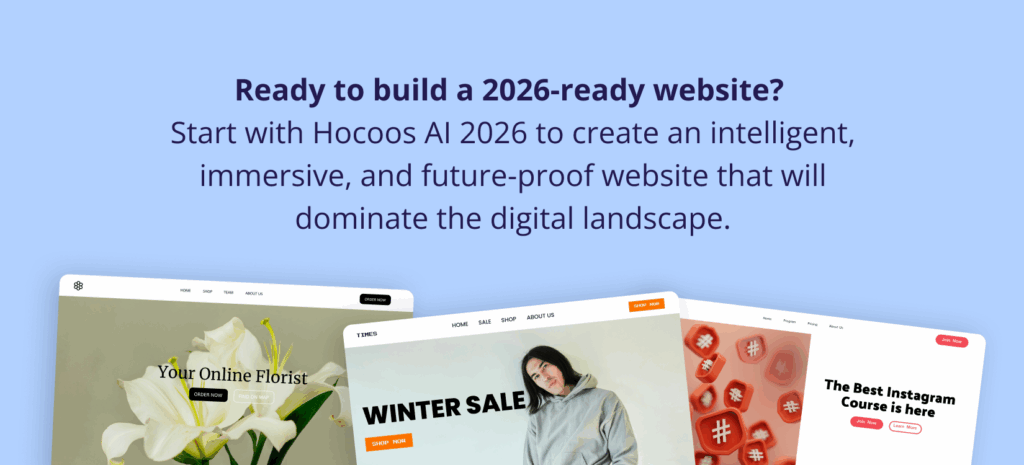
Ready to build a 2026-ready website? Start with Hocoos AI 2026 to create an intelligent, immersive, and future-proof website that will dominate the digital landscape.
Remember: The best time to start was yesterday. The second-best time is now. Your 2026 website success depends on the actions you take today.
“The future is not something we enter. The future is something we create.” – Leonard Sweet
Your 2026 website journey starts with one simple step: embracing the future. What are you waiting for?
Frequently Asked Questions (FAQs)
What is the single biggest shift defining websites in 2026?
The biggest shift is the move to an AI-first, adaptive experience, where websites learn from user behavior and change their content and layout in real-time, moving far beyond static or manually personalized pages. Approximately 85% of all websites now utilize some form of AI-powered feature.
Do immersive technologies like AR and VR actually matter for typical websites?
Yes, users are increasingly expecting them; over half (55%) expect AR/VR, particularly for product viewing and retail. AR allows for virtual try-ons and 3D visualization, while VR creates fully immersive shopping experiences and collaborative virtual spaces.
What are the new core web performance standards for 2026?
The focus is shifting toward user-centric responsiveness and stability, with new Core Web Vitals like Interaction to Next Paint (INP) measuring site responsiveness. Performance optimization is now automated using AI and relies on infrastructure like Edge Computing and 5G/6G readiness.
Why is “green web design” now a critical trend?
Users now prioritize a site’s environmental impact, making features like carbon-neutral hosting and performance optimization (minimal clean code, smart caching) essential. Implementing Dark Mode also aids sustainability by reducing power consumption on OLED screens.
How do modern websites address accessibility beyond basic compliance?
Accessibility is becoming AI-powered, with systems generating image descriptions for screen readers and providing multi-language support that adapts to cultural preferences. Assistive technology integration includes full voice-control compatibility for navigation and form completion.
What is the recommended first step for a business that needs to update its website to 2026 standards?
The initial step is to establish the foundation with AI Integration (Phase 1, Months 1-3). This includes adopting an AI-powered website builder for automated design generation and configuring the fundamental personalization framework.
How are voice and gesture controls integrated into websites?
Websites are adopting Voice-First Design allowing hands-free browsing and using conversational interfaces that understand complex natural language requests. Advanced touch and gesture recognition, often paired with haptic feedback, makes interactions feel more natural and responsive.
What advanced security measures are being adopted?
Security is characterized by AI-Powered Threat Detection that analyzes behavior to predict and block breaches in real-time. Sites are also adopting Zero-Trust Architecture and future-proofing with Quantum-Resistant Encryption.

FOLLOW us

-
AI Website Builder for Real Estate Agents: Showcase Listings in Minutes
28.05.2026Introduction Why Real Estate Agents Need a Website (Not Just Portals & Social Media)...2227 views -

How AI can help you Start a Small Business Today
11.03.2026As everyone knows, Artificial Intelligence (AI) is not a “thing of the future” anymore....12960 views -
AI Website Builder for Fitness Trainers & Coaches: Sell Sessions Online
2.03.2026If you’re a fitness trainer or coach, you already know that you don’t really...4588 views -

AI Website Builder for Photographers: Build a Portfolio That Gets Clients
16.02.2026Clients glance at your work before reading a caption or sending a message, and...4794 views -
Why a Website Matters More Than Social Media (Backed by Data)
2.02.2026Many small business owners begin their online presence journey via social media platforms (and...5148 views -
How AI Saves Time for Busy Entrepreneurs: Build a Website in Minutes
22.01.2026Modern entrepreneurs frequently switch between roles. One moment you are managing clients, then you...5489 views -

Why Most Small Business Websites Fail (and How AI Fixes It)
13.01.2026One of the main reasons a small business website might not do well is...5682 views -
Website Trends 2026: The Future of Digital Experience is Here
22.12.2025Welcome to the Digital Frontier of 2026 Website design isn’t what it used to...13222 views -
AI Website Builder vs. Traditional Builders: Which One Is Better for Small Businesses?
18.12.2025Strong online presence is no longer optional for small businesses in 2026 – it...6502 views -

The Hocoos Student Affiliate Program: Your Path to Financial Freedom
25.11.2025The Student Financial Reality Check Honestly, education nowadays costs a fortune. Just a few...12433 views -

How Small Businesses Can Win Big on 2025 Black Friday
7.11.2025FREE Black Friday 2025 Small Business Checklist Black Friday has evolved from a single-day...7110 views -
The 8 Technology Trends Reshaping Business in 2025
24.10.2025The future isn’t just approaching – it is unfolding all around us. While we...14376 views