






Thank You for Building With Hocoos
Hocoos is no longer operating
You can still download an HTML copy of your website(s). Website downloads will be available until April 23, 2026.
Hocoos is no longer operating
You can still download an HTML copy of your website(s). Website downloads will be available until April 23, 2026.

Your websites are still yours.
Before the platform closes permanently, you can download an HTML copy of any website you created with Hocoos.
If you built multiple websites, all of them can be downloaded.
Passo 1
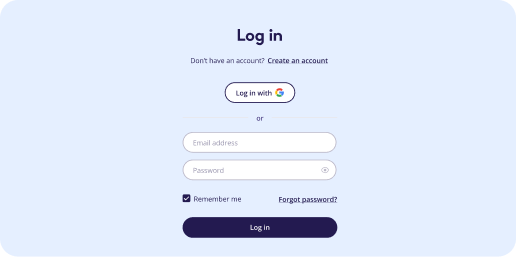
1. Log in to your Hocoos account
Access your dashboard as usual
Passo 2
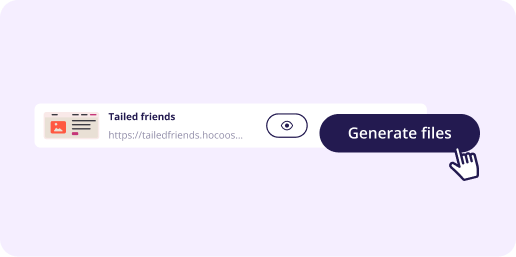
2. Generate your download link
Access your dashboard as usual
Passo 3
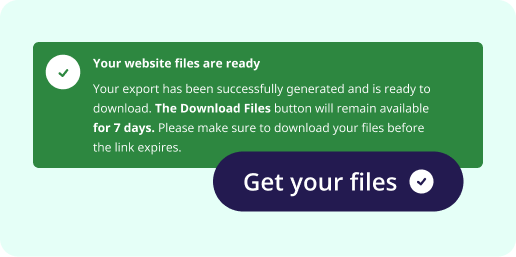
3. Save your files securely
Download and securely store your website.


Our support team is still here to help during this transition.
If you need assistance downloading your website or have questions about your files, please contact support or visit our Knowledge Base for step-by-step guides.
Website downloads will be available until 23 April 2026. After this date, the platform will be permanently shut down, and access to all stored websites and files will no longer be available. We encourage you not to wait until the last moment and download your files as soon as possible.
Yes. After 23 April 2026, all websites and data stored on Hocoos servers will be permanently deleted. We strongly recommend downloading your website files before this date to ensure you keep a copy of your site and content.
To download your website:
1) Log in to your Hocoos account.
2) Select the website you want to export from the list of your websites.
3) Click the Download button. This will start generating your website export.
4) Once the export is ready, click Get the files to download your website files.
5) You will also receive an email with a download link when the export process is
complete.
Yes. If you created multiple websites with Hocoos, you can download each website separately by selecting it from your website list.
Your download package will include:
- An HTML copy of your website
- XLS files with your website data, such as:
- Products, customers, and orders (Store app)
- Mailing lists
- Clients and appointments (Booking app)
- Images, videos, and other media assets used on your website
These files represent a static version of your website and its data.
Once generated, the download link will remain active for 7 days. After that, the link
will expire, and you will need to generate a new export request.
New export requests can only be made before 23 April 2026. After this date, the platform
will be permanently shut down, and no downloads or exports will be possible.
If your download link has expired, you can generate a new one directly from your
account, as long as the platform is still available before 23 April 2026.
To generate a new download link, go to your website list, select the website, and click
Download again to start a new export. This time, make sure to complete the download
before the link expires. Note that after the platform permanently shuts down, your files
will no longer be accessible.
Yes. Your downloaded website will still open and display its pages, content, and design.
However, certain interactive features, such as subscribe, contact, feedback, booking,
and checkout forms, will not work.
The downloaded files contain the structure and content of your website as a static
version, but features that relied on the Hocoos platform will no longer function.
Some features depended on Hocoos servers and will not work after export,
including:
- Contact, subscribe, and feedback forms
- Booking functionality
- Checkout and store transactions
- Third-party integrations connected through Hocoos
- Other dynamic features powered by the Hocoos platform
If you move your site elsewhere, these features would need to be set up using other
tools or services.
Yes. You will receive an HTML copy of your website, which you can edit if needed.
Keep in mind that editing the files needs basic knowledge of HTML, CSS, or a website
editor.
Yes. After downloading the files, you can upload them to any hosting provider that supports static websites. Once uploaded, your website can be published there.
If you connected a domain that you purchased from another registrar, it will remain
under your control with that provider.
After downloading your website, you can update your domain's DNS settings to point it to
a new hosting provider where you upload your website files.
If you purchased your domain through Hocoos, you will need to transfer it to your own
name.com account in order to keep managing it.
Please follow the instructions in this guide: [Link to knowledge base article]
Once the domain is transferred to your own account, you will be able to manage it
directly with name.com and connect it to any hosting provider you choose.
No. Once Hocoos shuts down on 23 April 2026, websites hosted on the platform will no
longer be accessible.
To keep your website online, you will need to upload your downloaded website files to a
new hosting provider and connect your domain to that hosting service.
Your account will remain accessible until 23 April 2026. After this date, the platform will be permanently shut down, and all accounts and stored data will be deleted.
The editor and dashboard features have been disabled since the platform is closing, so
no further changes can be made to your website.
However, you can still log in to your account until 23 April 2026 to export and download
your website data.
Yes. Our support team will remain available during this transition period.
If you need help downloading your website or accessing your files, please contact
support.
You can find step-by-step guides in our Knowledge Base, including instructions
for:
- Downloading your website files and data
- Transferring domains
- Moving mailboxes to your own account
These guides will help you secure your website files and services before the platform
closes.
Large websites may take several minutes to prepare for export.
You can keep the export window open while the files are being generated. Once the
process is complete, you will see a notification on the screen and a Get files button
next to the website you selected.
You will also receive an email once the files are ready to download.
First, check your spam or junk folder.
If you still can't find the email, you can download the files directly from your Hocoos
account.
Yes, if you downloaded your files but have since lost them locally, you can generate a
new download link from your account and download them again.
Once you have your files, we recommend saving them on a backup storage of your choice,
so you don't risk losing them again.
Website download option is only available before 23 April 2026 - after that, the
platform will be permanently shut down, and no further downloads will be possible.
If your website is not downloaded before 23 April 2026, it will be permanently deleted
along with all data stored on Hocoos servers. This includes your website pages and
design, all images and media files, store data such as products, orders, and customer
information, mailing lists, and booking clients and appointments.
After 23 April 2026, the platform will no longer be available, and the data cannot be
recovered. We strongly recommend downloading your website files before the deadline.
No. Once the shutdown announcement is made, no new subscription charges will occur.
Yes. If you have an active paid subscription, a pro-rata refund will be issued for the unused portion of your subscription period starting from 23 April 2026.
Refunds will be processed automatically after the shutdown announcement. The refund will be sent to the original payment method used for the subscription.
No action is required on your end. Subscriptions will be handled automatically as part of the platform shutdown process.
Your website will remain on the premium plan until 23 April 2026, so it can stay accessible to your visitors while you download your files and prepare your website for migration.
Your mailbox will remain active, but it needs to be transferred to your own PolarisMail account before 23 April 2026. This ensures you keep full access and control over your email service after Hocoos closes. To avoid any interruption to your email service, please complete the transfer as soon as possible.
You will need to create your own PolarisMail billing account and request a mailbox
transfer.
For step-by-step instructions, please follow this guide:
[Link to the knowledge base article]
We recommend completing this process as soon as possible, rather than waiting until 23
April 2026.
Yes. All your mailbox data, including your emails, contacts, and settings, will remain
intact during the transition period.
To ensure your email service continues without interruption, please make sure to
transfer your custom mailboxes to your personal PolarisMail account as soon as possible,
but no later than 23 April 2026.
Your subscription through Hocoos will be canceled automatically.
The mailbox itself will remain active during the transition, so you can transfer it to
your own account. After the transfer is completed, you will continue paying for the
service directly to PolarisMail.